Status Saver0.0.4
Publisher Description

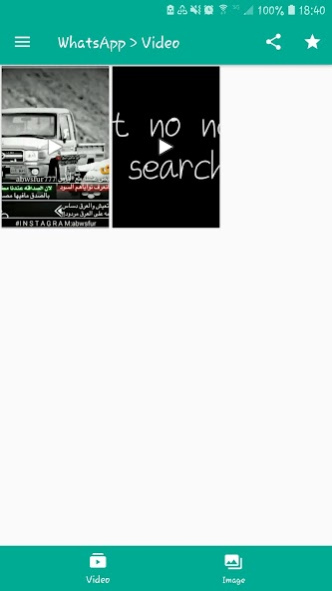
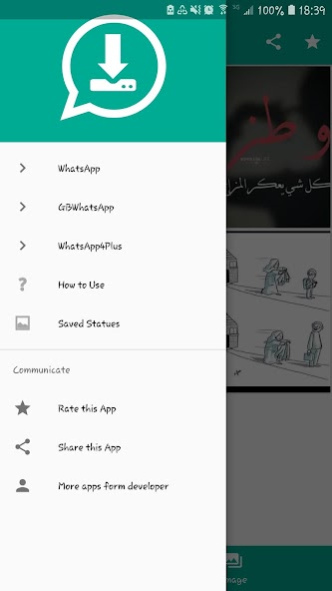
Status Saver app let you download photo images, GIF, Video of new status feature of whatsapp Application and it also allows to share media and repost status from app to your friend.
Key Features of Story Saver App
✔ View Saved Stories and status even after 24 hours
✔ User Friendly Design
✔ App Provide inbuilt image viewer for image
✔ App Provide inbuilt media player for video
✔ Easily Repost status
✔ Download friends's Whatsapp status or story now easily
✔ Saved status or stories also displayed in application for future use.
How to Use?
-> Watch the story or status in whatsapp.
-> Open status saver App, Click on image or video to view in full screen.
-> Click the Download to save whatsapp story image/video.
-> You can share and repost also your friends whatsapp story image/video.
The Status is Instantly saved to your Phone or Gallery go and check it out 😉😃
Rate it if you liked the App 😀
Probably a valuable 5 Star Rating 😁😃
Your Feedback is as important as you so we can provide more content to you. 😇
IMPORTANT :
The "Whatsapp" or "WhatsApp" name is copyright to WhatsApp,inc. This app is in no way affiliated with, sponsored or endorsed by WhatsApp, Inc. We are not responsible for any kind of re-usage of any media downloaded by user.
If you find any suggestion or issues regarding this application then reach us via email instead of giving lower ratings.
About Status Saver
The company that develops Status Saver is Mohammed Mufarrih. The latest version released by its developer is 0.0.4.
To install Status Saver on your Android device, just click the green Continue To App button above to start the installation process. The app is listed on our website since 2021-03-07 and was downloaded 1 times. We have already checked if the download link is safe, however for your own protection we recommend that you scan the downloaded app with your antivirus. Your antivirus may detect the Status Saver as malware as malware if the download link to com.mo7md.status.downloader is broken.
How to install Status Saver on your Android device:
- Click on the Continue To App button on our website. This will redirect you to Google Play.
- Once the Status Saver is shown in the Google Play listing of your Android device, you can start its download and installation. Tap on the Install button located below the search bar and to the right of the app icon.
- A pop-up window with the permissions required by Status Saver will be shown. Click on Accept to continue the process.
- Status Saver will be downloaded onto your device, displaying a progress. Once the download completes, the installation will start and you'll get a notification after the installation is finished.
Program Details
System requirements
Download information
Pricing
Version History
version 0.0.4
posted on 2021-03-07
Status Saver app let you download photo images, GIF, Video of new status
Support Android (10) Q
